Welcome to Product Market Fit! Today’s issue is free and open to everyone.
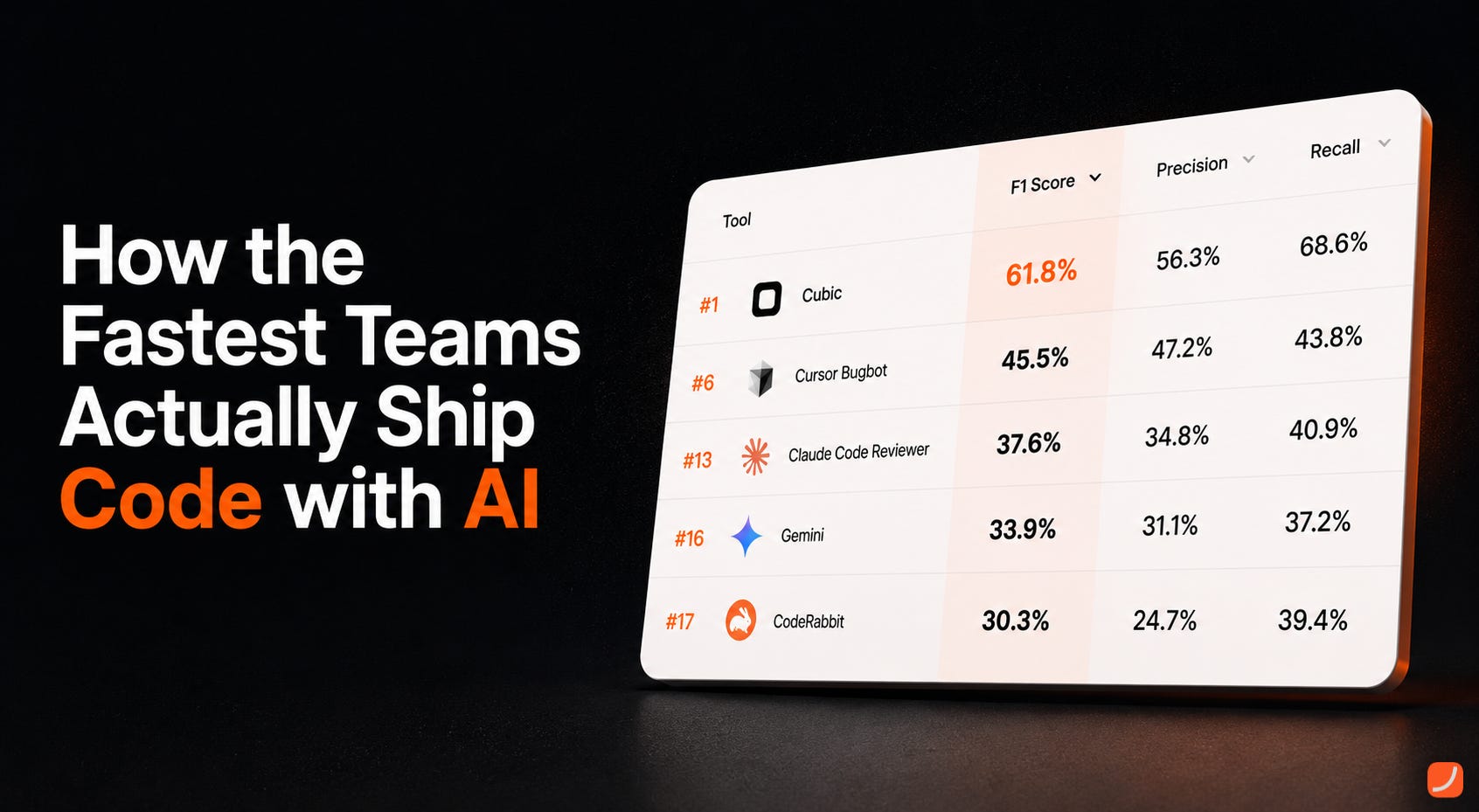
This week we host Paul Sanglé-Ferrière, CEO of cubic (YC). His team has built the leading AI code review tool, ranked #1 on every independent benchmark and beating tools from Anthropic and OpenAI by a large margin. They build for companies like Cloudflare, n8n, and Legora and outship teams that have raised 100x more. Paul is one of the world’s leading experts on harness engineering and AI coding workflows.
P.S. At the end, premium subscribers will find an exclusive discount to try cubic!
Today, I want to show you how the fastest engineering teams I know actually ship code today.
Writing code used to be the bottleneck. With AI, that’s stopped being true. Teams are shipping ten or twenty times more code than they were a year ago, and review is what can’t keep up. Senior engineers don’t have time to read every PR properly, so bugs slip through and team standards quietly erode. The faster you ship, the harder it gets to know what’s actually in your own codebase.
cubic is the AI code reviewer the most advanced engineering teams in the world rely on.
To be concrete: cubic doesn’t write code. It’s a specialised layer that reviews it.
If you’re writing code for production at scale, you need a dedicated reviewer. Code-writing agents have their own blind spots, and they’re not built to review their own work. You need something that understands your team, runs different models from your coding agent, and is purpose-built for review.
You still use your coding agent of choice (Claude, Codex, Cursor) for the writing. cubic is what runs after, replacing whatever you were using to review AI-written code before, whether that was you eyeballing the diff or another tool.
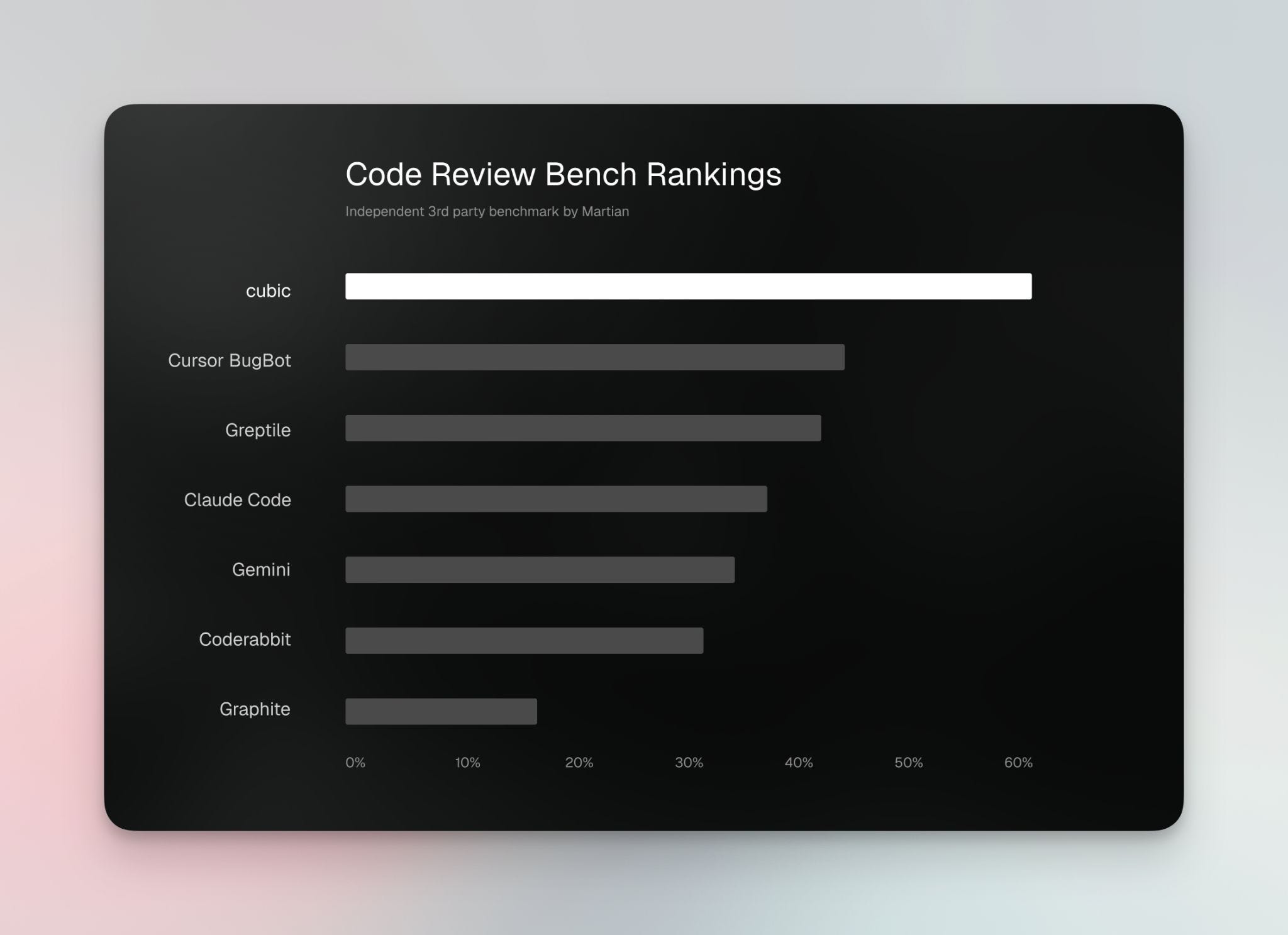
Internally, we’re a team of five. We outperform teams that have raised 100x more than we have. Our reviewer ranks #1 on every independent code review benchmark, beating every other competitor by a wide margin.
Between the two, the same workflow keeps showing up. We see how the best engineering teams in the world ship, and we ship the same way ourselves.
📚 That's what I want to walk through here. The loop, roughly: set up your repo so your agent works the way you do, plan before you prompt, let the agent write, have a different agent review, ship and let a deeper agent review run overnight.
Inside you will find:
Before You Prompt Anything
Planning Before Coding
Letting the Agent Build
The Review Loop
In the PR, Go Deeper
Overnight Review
The Full Loop
BONUS: exclusive discount to try cubic!
Let’s start at the beginning.
1. Before You Prompt Anything

The goal at this stage is simple: give your agent enough context that it doesn’t have to guess. Your repo layout, team conventions, standards, all in a place it can read once and refer back to.
Get this right and every prompt downstream gets shorter and better. Skip it and you’ll be re-explaining yourself in every conversation.
This is the boring part, but it matters.
Put an AGENTS.md (or CLAUDE.md) at the root of your repo. Mine has:
Repo layout, the directories that actually matter
Build, test, and lint commands
Engineering conventions we follow
A short list of “do not do this” rules
What “done” actually looks like for our codebase
Your agent reads it once and stops asking you the same questions in every prompt.
One thing worth doing on top of that: hook up the cubic MCP to your coding agent.
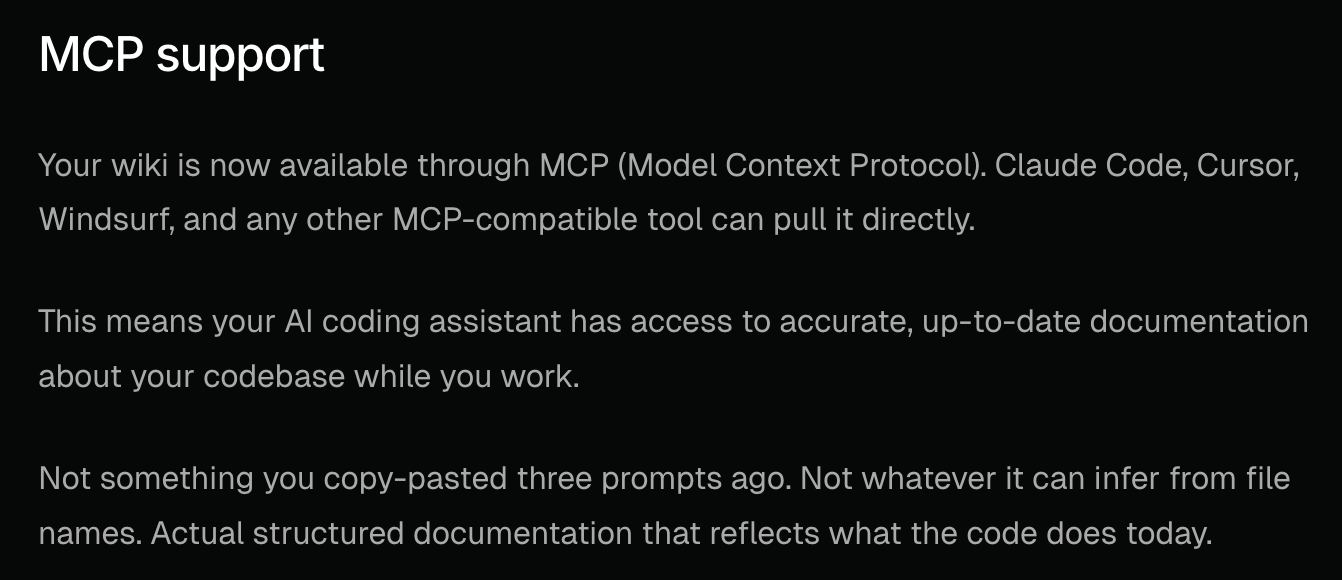
cubic learns from how your senior engineers review code. With the MCP connected, your agent already knows what your team cares about before it writes a line. “What would the senior reviewer flag here?” becomes something the agent can answer, not guess at.
2. Planning Before Coding
Use Plan mode. In Cursor that’s Shift+Tab, or /plan.
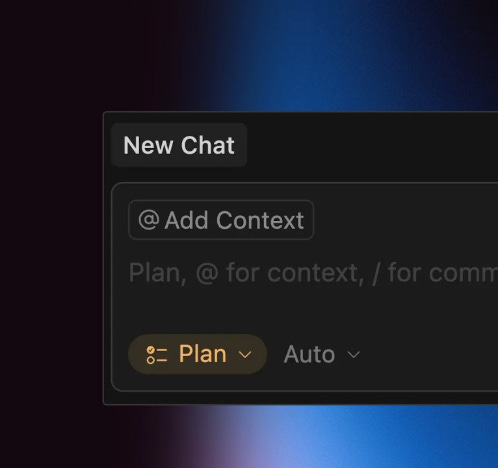
Let the agent interview you first. The temptation is to drop one giant prompt in and hope. Resist it. A five-minute back-and-forth gets you better output than a perfectly worded one-shot.
One thing that’s underrated: dictation. There are a bunch of tools for it, I use Willow Voice. You talk a lot faster than you type, so you can dump way more context into the plan and actually have a high-speed back-and-forth with the agent instead of laboriously typing each turn.
Break work into thin slices: plan, approve, implement, test, cleanup. Each one’s a small conversation.
A few less obvious things I do here.
One of the biggest weaknesses of today’s AI agents, even the best ones, is design. They’re bad at it. Drop a design problem on them cold and the output usually looks like every other AI-generated UI on the internet right now.
The thing they are good at is copying. Give them strong references and they perform much better.
So for any UI work, I solve the design problem before I solve the code problem. I point an MCP like Mobbin at the plan so the agent has real reference designs to pull from instead of guessing. Then I have it sketch low-fidelity ASCII diagrams of the layout before any real code gets written. Way easier to argue about structure on a wireframe than in a 600-line diff.
The last one isn’t design-specific: match the model to the task. Big model for architecture, cheaper model for the grind.
3. Letting the Agent Build
Once the plan is in place, you can let the agent run most of the loop itself. Models are good enough now to self-debug.
Have it run your app locally, see what breaks, and iterate until the build is green and the tests pass. You don’t need to sit there feeding it each compile error by hand.
If there’s a UI involved, ask the agent to take screenshots of what it’s built as it goes. It’s surprisingly good at catching its own mistakes when it can actually see the output instead of just diffing text.
When it says it’s done, do one last check: does the output actually respect the ASCII diagrams and references from the plan? Drift happens, especially in longer sessions. If it drifted, send it back and have it fix the gap.
4. The Review Loop
There are two real problems with shipping AI-written code.
The first is the obvious one: agents make mistakes. They hallucinate APIs. They write insecure patterns. They write queries that look fine and run for ten seconds in production. You can’t catch all of that in a 30-second diff skim, especially when you’re shipping ten of these a day.
The second is more subtle: agents don’t know your context. They don’t know you’re on an MVP where speed matters more than perfection, or that this service is a critical path that can’t go down. They don’t know the standards your team has spent years settling on.
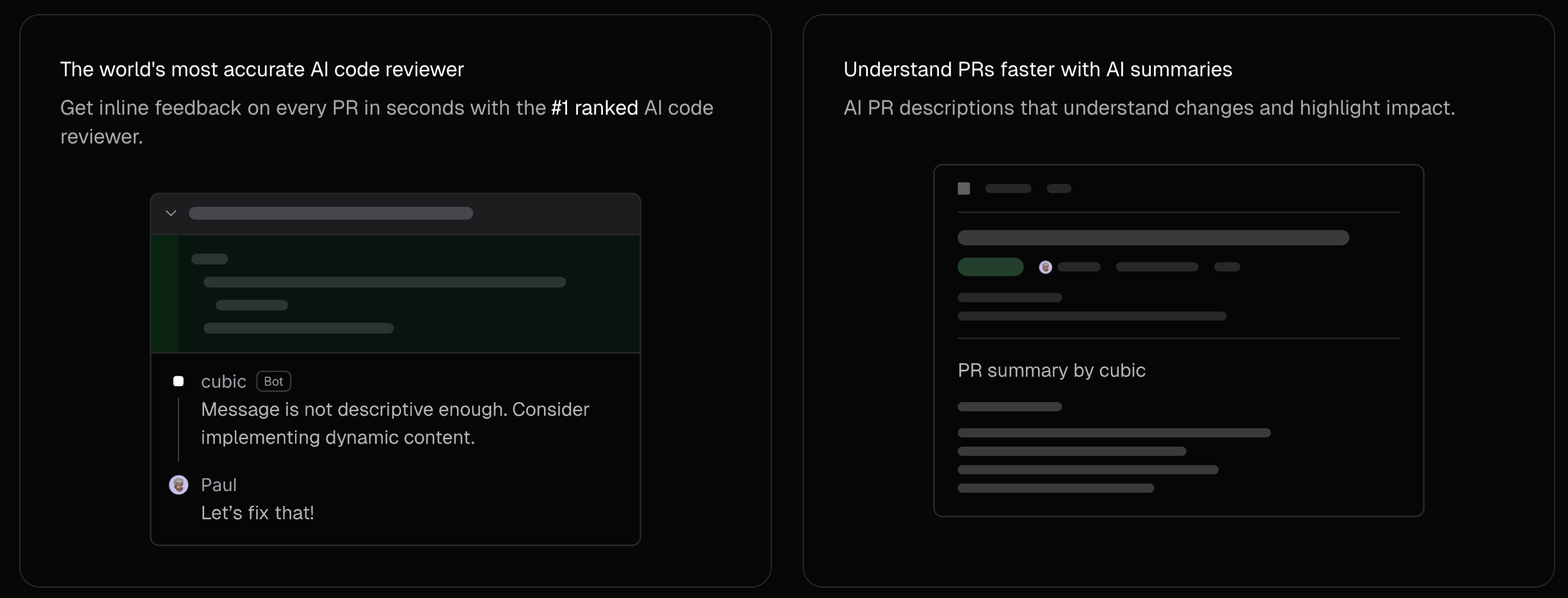
This is where cubic comes in. You don’t run the review yourself. You tell your coding agent to call the cubic CLI when it’s done writing, and the two agents iterate together until there’s nothing left to flag. A different agent (different models, different blind spots) reviews the diff, hands the issues back to your coding agent, and your coding agent fixes them. Fully agentic. You don’t sit there driving it.
I think the different-model bit is the most underrated part of all this. If the same model that wrote the code also reviews it, you’ll miss the same bugs twice. The blind spots are identical. You want a different reviewer on the other side.
cubic actually does this for you automatically. We detect which model wrote the code and route the review to a different one. If we see Opus generated the diff, we’ll review it with Codex. If it was Codex, we’ll review with Opus. You don’t have to think about it.
But the part that really moves the needle is that cubic knows your team. It syncs your standards, the patterns your senior engineers actually flag in review, the bits specific to your repo. You don’t get a generic review, you get one that reflects what your team actually cares about.
By the time the loop finishes, the diff is already cleaned up. You step in to approve or push back, not to do the review yourself.
5. In the PR, Go Deeper

Push to GitHub.
cubic’s GitHub agents do a heavier pass than the CLI. More context, more thinking time.
Use the cubic skill in your IDE to talk back to the comments. Same loop as before, just with a more thorough reviewer on the other end.
6. Overnight Review
Merge your PR. Ship it. Go home.
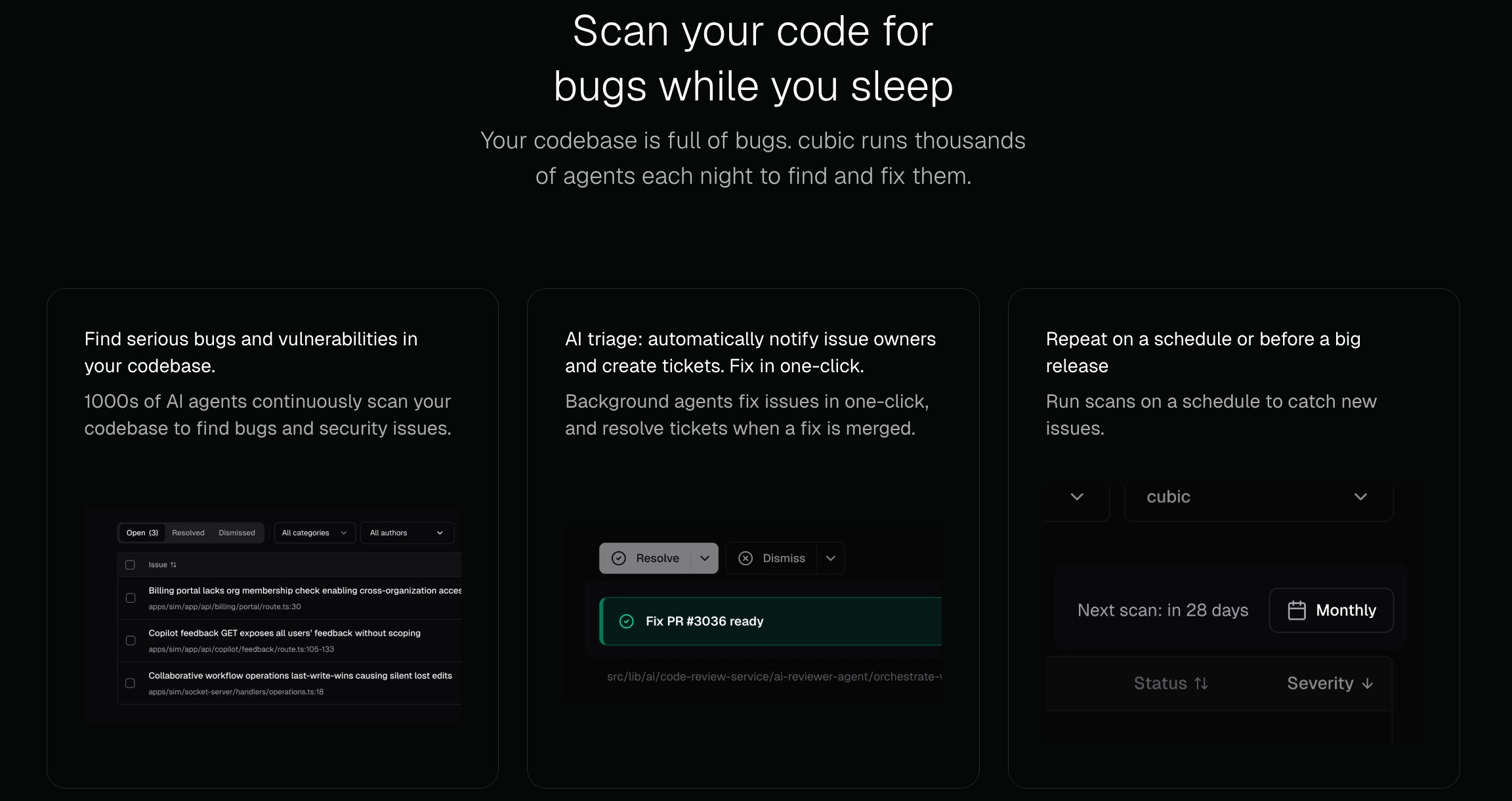
Once you merge, cubic kicks off a deeper review on whatever just landed in main. It runs for hours, up to twelve of them, doing codebase-level analysis. Cross-file logic, security holes, the kind of bug you only catch with full-repo context. Things a 90-second PR review just can’t surface.
If it finds something, there’s a fix PR waiting for you in the morning.
It’s the kind of compute budget you only get when nobody’s waiting on the answer.
7. The Full Loop
End to end, this is how we ship:
Setup: AGENTS.md, environment, cubic MCP connected
Plan: plan mode, let the agent interview you, thin slices
Write: coding agent does it
Local review: cubic CLI before you push
PR review: cubic GitHub agents go deeper
Merge
Overnight: cubic deep review runs while you sleep
Morning: merge the fix PR if there is one
Writing and reviewing are both jobs for agents now. What’s left for you is judgment, and the call on whether to actually ship.
If you take one thing from this, take this: don’t let the same model that wrote your code be the one signing off on it.
8. BONUS: exclusive discount to try cubic! (for Paid subscribers)